


Introduction
Many companies continue to operate with software that no longer keeps pace with business needs. As market demands, security requirements, and user expectations evolve, outdated systems begin to create friction, additional costs, and operational risks. Recognizing these signs early is the first step toward a successful technology modernization.
Why is technology modernization key to competitiveness?
Technology modernization has a direct impact on a company’s ability to operate efficiently, scale its processes, and sustain its value proposition over time. Modern systems make it easier to respond to regulatory changes, adopt new business models, and reduce friction between technology and operations.
In addition, keeping systems up to date directly improves operational efficiency, customer experience, and information security. In contrast, legacy systems often create dependency on outdated technologies, hinder innovation, and limit integration with new platforms.
Key signs that your software is outdated
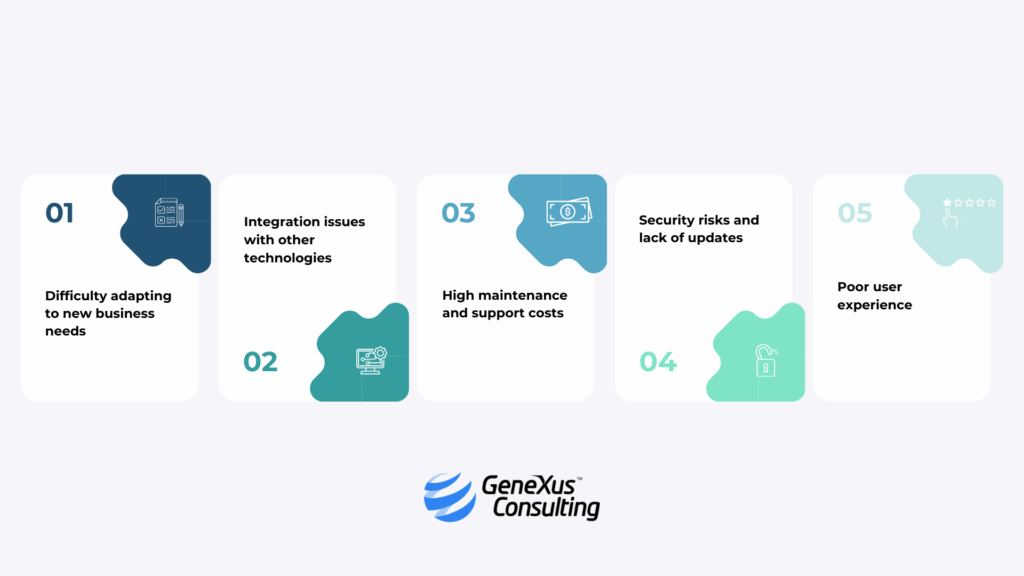
Sign 1: Difficulty adapting to new business needs
When every change or new feature requires complex, lengthy, and costly development, it is a clear sign of obsolescence. For example, implementing a new feature, modifying business rules, or integrating with another system may require changes across multiple components of the codebase and long development and testing cycles, delaying time to production.
Sign 2: Integration issues with other technologies
Outdated software often has limitations when integrating with modern tools such as cloud solutions, APIs, data platforms, or third-party systems. This leads to information silos and manual processes that negatively impact productivity.
Sign 3: High maintenance and support costs
When a large portion of the IT budget is spent on “keeping the system alive” rather than innovating, it is time to rethink the strategy. The shortage of professionals skilled in legacy technologies and the reliance on custom developments increase costs and operational risks.
Sign 4: Security risks and lack of updates
Legacy systems are often excluded from regular security update cycles. This makes them a weak point when facing cyberattacks, regulatory non-compliance, and the loss of critical information.
Sign 5: Poor user experience
Unintuitive interfaces, low performance, and lack of mobile compatibility directly affect the experience of both internal and external users, reducing system adoption and process efficiency.
Technical debt: how to measure it and prioritize modernization
Technical debt is the accumulated cost of development decisions made to gain short-term speed, which over time result in code that is difficult to maintain, scale, or adapt.
As technical debt grows, teams spend increasing amounts of effort resolving incidents, applying temporary fixes, or maintaining existing functionality instead of focusing on product evolution and innovation.
Practical indicators to identify and measure technical debt
Although technical debt is not always visible, there are clear signals that help assess it in day-to-day development:
- Longer time required to implement small changes, even in well-known features.
- High frequency of regression bugs, where recent fixes introduce new issues.
- Recurrent use of temporary patches in production to resolve urgent incidents.
- Low test coverage, increasing risk with every deployment.
- Changes that impact multiple modules, revealing a rigid and tightly coupled architecture.
These indicators often show that the system is reaching a point where adding new functionality becomes increasingly costly and risky.
How to prioritize updates based on impact and risk
Not all technical debt needs to be addressed at once. To move forward sustainably, it is essential to prioritize modernization efforts by considering:
- The operational criticality of each module, especially those supporting core business processes.
- The level of risk, such as recurring failures, security vulnerabilities, or dependence on unsupported technologies.
- The modernization effort versus expected impact, balancing quick wins with structural improvements.
- Real usage metrics, to avoid investing resources in low-value or rarely used features.
This approach helps turn technology modernization into a planned process aligned with business goals, providing a practical framework for both technical teams and decision-makers.
Benefits of modernizing your software
Software modernization delivers clear improvements at both technical and operational levels. Key benefits include:
| Benefit | Business Impact |
| Greater agility and scalability | Enables the system to quickly adapt to new requirements and grow alongside the organization. |
| Reduced operational and maintenance costs | Lowers expenses related to obsolete technologies, frequent incidents, and complex support. |
| Improved security and regulatory compliance | Reduces vulnerabilities, simplifies audits, and ensures compliance with current regulations. |
| Easier integration with new technologies | Facilitates the adoption of new platforms, APIs, cloud services, and digital innovations. |
| Better user experience | Provides more modern interfaces, faster response times, and improved usability. |
| Readiness for growth and innovation | Enables new business models, products, and services without technical constraints. |
Ultimately, modernizing software not only solves current problems but also unlocks new business opportunities.
Strategies to modernize your software successfully
To carry out an effective technology modernization, having a clear strategy is essential.
| Strategy | Description |
| Assess the current state of the system | Analyze architecture, technologies, and performance to identify which components require priority modernization and determine the right time to update a legacy system. At this point, it may be useful to dive deeper into when to update or modernize your legacy system. |
| Adopt a progressive approach | Modernize in phases, avoiding abrupt replacements that could impact business continuity. |
| Select business-aligned technologies | Choose solutions that support organizational evolution, prioritizing scalability, flexibility, and long-term sustainability. |
| Rely on specialized partners | Work with experienced partners in critical system modernization and migration to reduce risks and accelerate results. |
GeneXus Consulting offers specialized services such as GeneXus Win-to-Web Migration, ideal for transforming legacy applications into modern solutions, and Technological Evolution, a comprehensive approach to support continuous software modernization.
Modernize your software with GeneXus Consulting
Identifying signs of obsolescence early and moving forward with technology modernization is key to sustaining competitiveness and business growth. Modernizing software not only improves current efficiency but also prepares organizations for future challenges.
Modernize your software with GeneXus Consulting and take the next step toward a more agile, secure, and business-aligned technology platform. Talk to our team and assess the best path to modernize your software.
-
 Previous
The 5 Most Common ...
-
Next
Desarrollo de soft...
